Skip to content

For owner-operated businesses, single or multi-location

B.LAB Business Apps

Standalone apps for streamlining operations.

Five apps, each sold separately: Stock for inventory and automatic reordering; Clients for client records, loyalty and rebooking; Team for staff training; Insights for profit and sales reports; and Front desk for bookings and payments. You do not have to replace your current systems to use one.
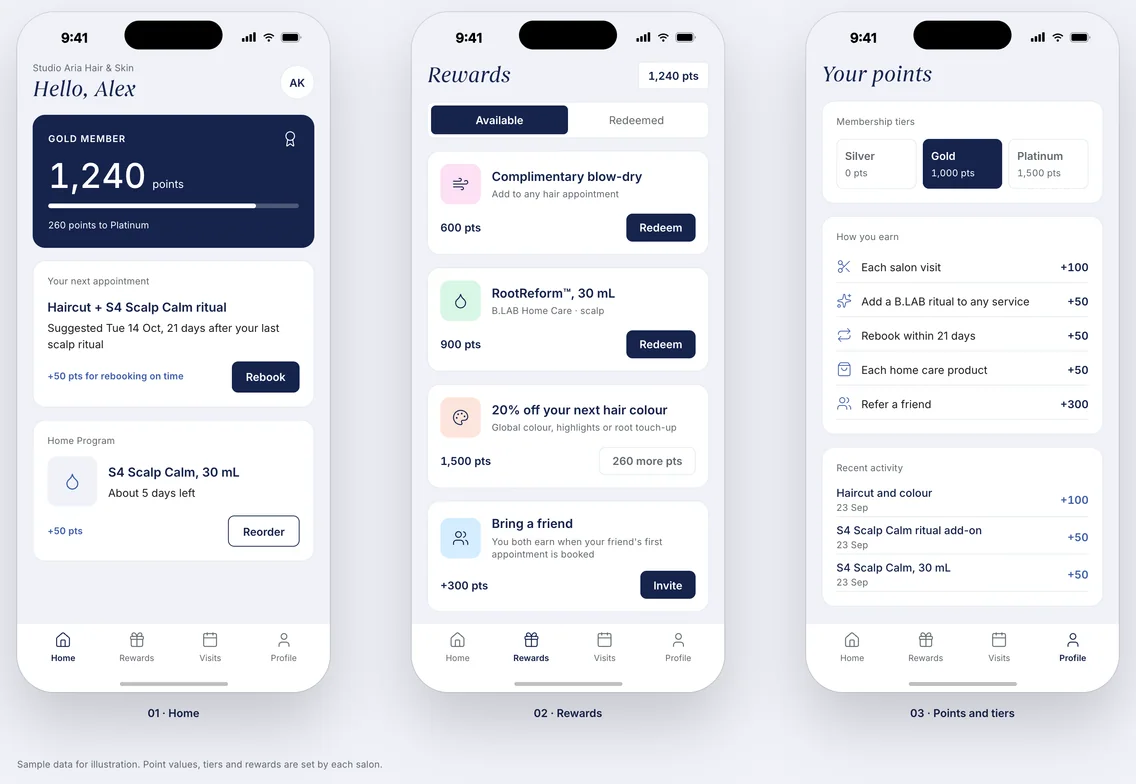
B.LAB Clients app on three phone screens: Home, Rewards, and Points and tiers (sample data).

Sound familiar?

Four daily tasks and the app for each

Stock is reordered when someone notices the shelf is empty.

Stock · Reorders based on what each service and sale actually uses.

Clients leave without booking again, and nobody follows up.

Clients · Client history, loyalty and automated rebooking.

Senior staff answer the same questions every day.

Team · An AI assistant that answers from your SOPs and product training.

You don't know which services actually make money.

Insights · Service profitability and retail conversion in one dashboard.

The apps

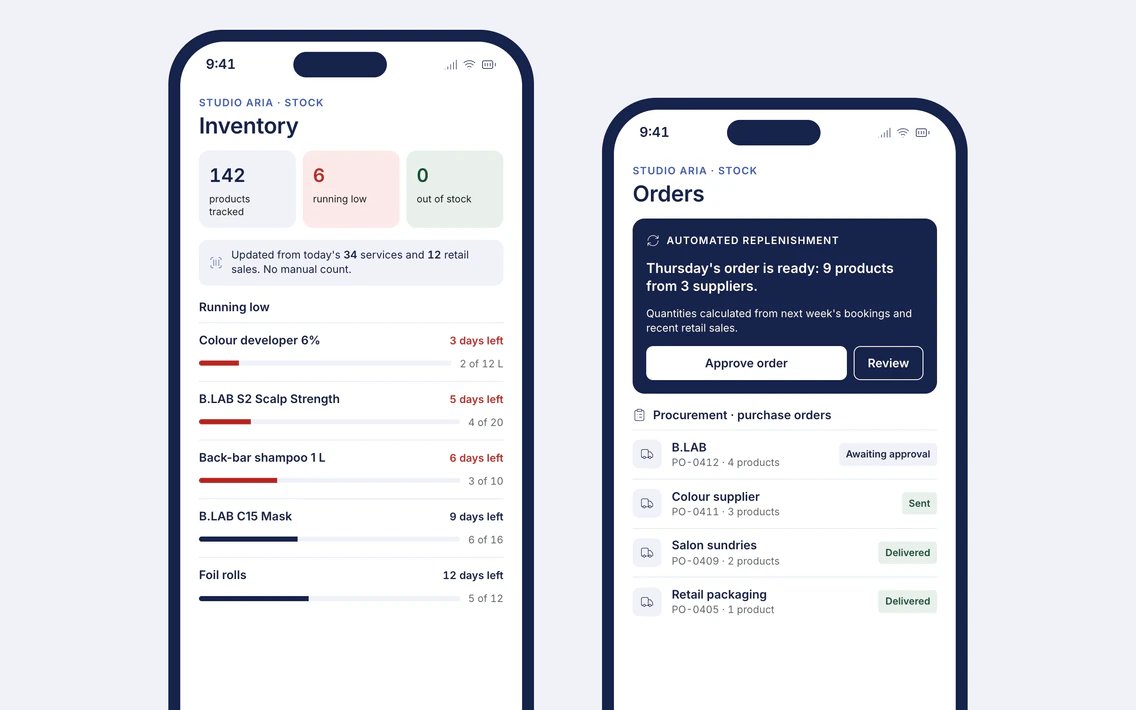
B.LAB Stock app on two phone screens: Inventory, with the products running low, and Orders, with automated replenishment and purchase orders (sample data).

Stock

Keep the right stock without counting by hand.
  • Inventory
  • Procurement
  • Automated replenishment
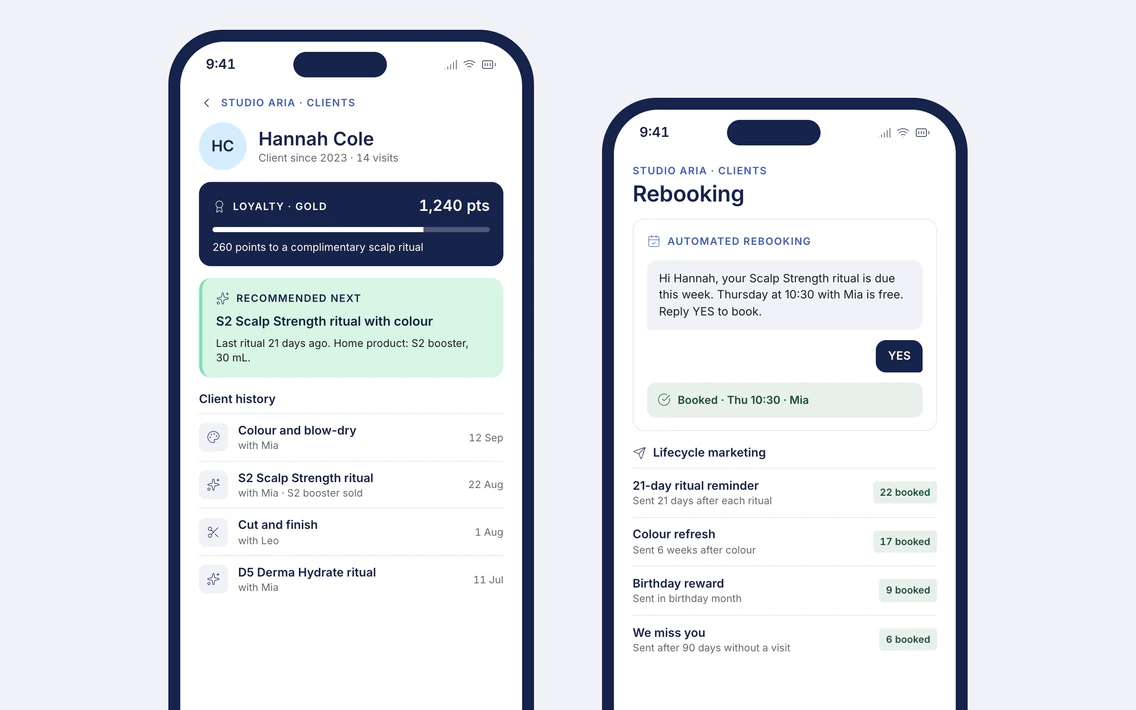
B.LAB Clients app on two phone screens: a client record with loyalty, recommendations and visit history, and Rebooking, with lifecycle marketing (sample data).

Clients

Get clients to book their next visit.
  • CRM and client history
  • Loyalty
  • Recommendations
  • Automated rebooking
  • Lifecycle marketing
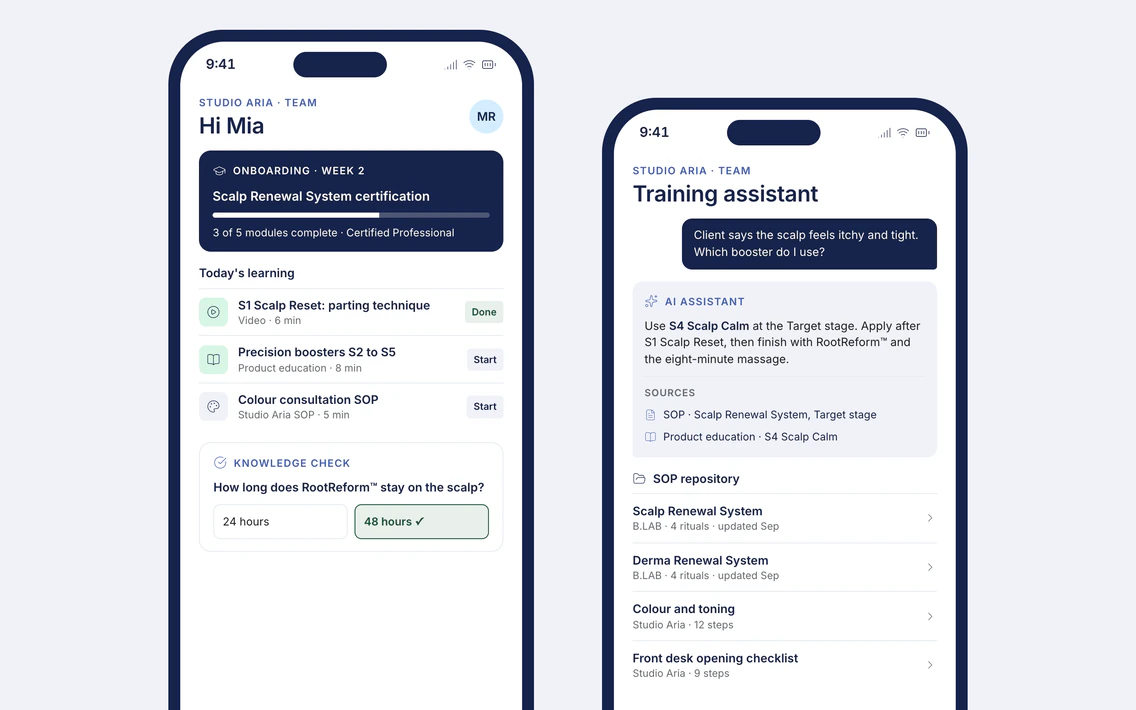
B.LAB Team app on two phone screens: onboarding with today's learning and a knowledge check, and the training assistant answering from the SOP repository (sample data).

Team

Train staff on your SOPs and B.LAB products.
  • AI training assistant
  • SOP repository
  • Product education
  • Onboarding
  • Knowledge assessment
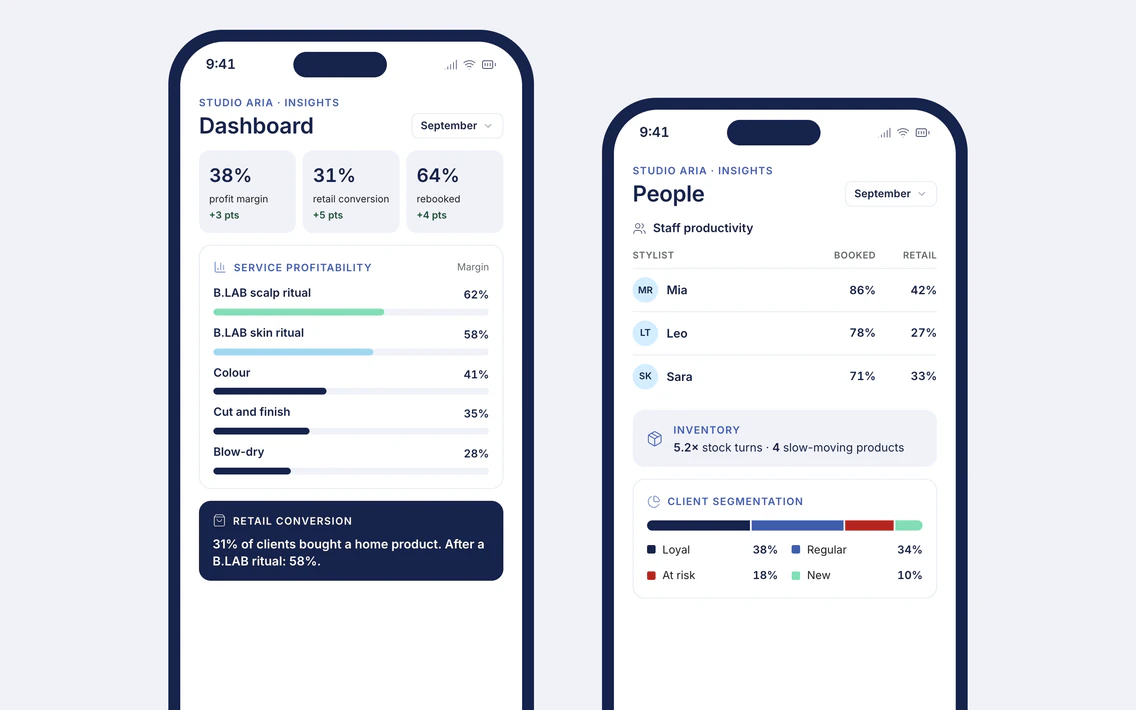
B.LAB Insights app on two phone screens: a dashboard with service profitability and retail conversion, and People, with staff productivity, inventory and client segmentation (sample data).

Insights

See profit by service, product and staff member.
  • Dashboards
  • Service profitability
  • Retail conversion
  • Inventory and staff productivity
  • Client segmentation
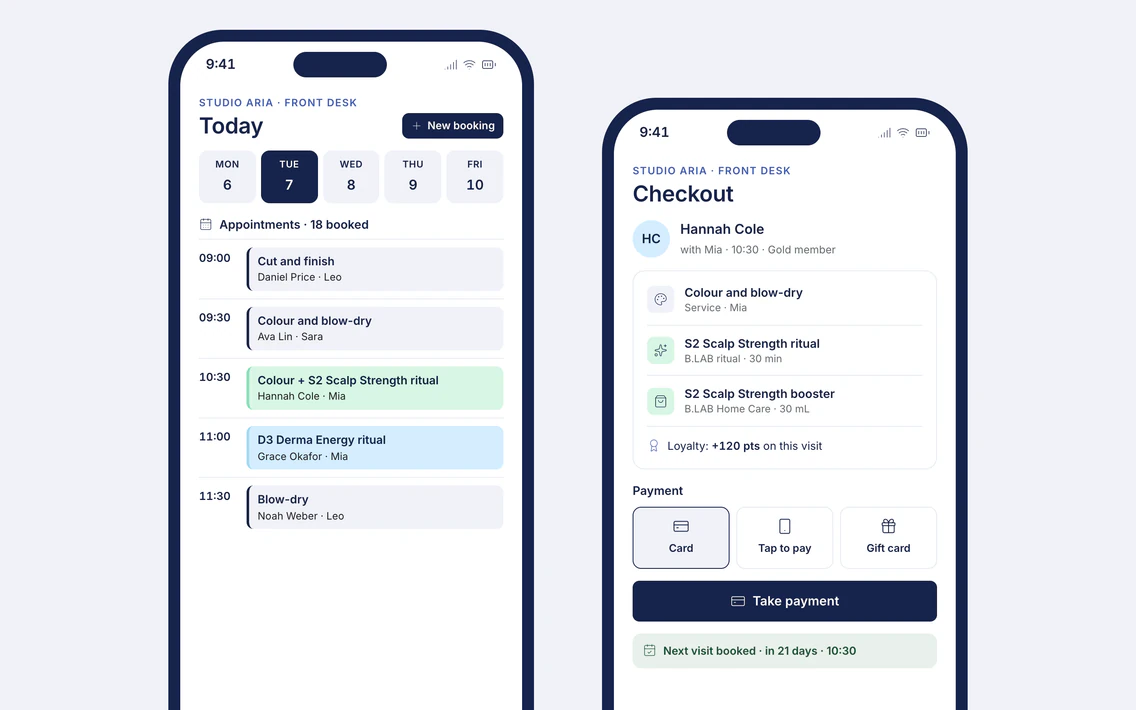
B.LAB Front desk app on two phone screens: today's appointments and checkout with payment options (sample data).

Front desk

Take bookings and payments.

  • POS
  • Appointments

Also available: TimeCode™, an in-salon consultation system that links each client's skin and scalp care plan to the products on your shelf.

How to start

  1. 01 Tell us about your business Send an enquiry. You can first take the Salon Operations Benchmark, and your results are attached.
  2. 02 Consultation call with Sales A 30-minute call to review your results and see the app your benchmark recommends.
  3. 03 Proposal B.LAB sends a recommendation for your first app, with terms.
  4. 04 Onboarding B.LAB sets up the app and trains your staff. Each app you add later shares client, stock and staff records with the apps you already use.

Optional · prepare for your consultation

Salon Operations Benchmark

15 questions in five areas: stock, clients, team training, reporting and the front desk. Each area is scored out of 100, and the result names the app to start with.

  • Results appear on screen straight away.
  • Your answers stay in your browser until you send your enquiry. Your results are then attached, so Sales can prepare your consultation call.

Area 1 of 5

0 of 15 answered

Stock

1. How do you decide when to reorder products?
2. How often does a service run short of a product it needs?
3. Do you know how much product each service uses?

Answer all three questions to continue.

Step 1 · Tell us about your business

Book a consultation call

Tell us which systems you use today. A member of the Sales team contacts you within 2 business days to book a 30-minute call, where you see the app your benchmark recommends.

Fields marked * are required.

Current systems
Which app do you need first?
Read the privacy policy

Take the Salon Operations Benchmark first and your results will be attached to this enquiry.

Questions salons ask

Do we have to replace our current systems?

No. Each app works on its own. Start with one and add others when you are ready.

What is TimeCode™?

An in-salon consultation system that manages client skin and scalp care plans, paired with in-salon merchandising and a zone-based interior design system.

Talk to B.LAB

B.LAB uses essential browser storage to run this website, remember your choice and save your progress in the online tools.

Select "Accept all" to also save your contact details on this device, so forms are pre-filled on your next visit. B.LAB does not use advertising cookies.

Read the cookie policy